


VibeShort: AI Dramas & Reels
4.57.61K Reviews
App Specs
- Version
- 2.29.0
- Updated On
- License
- Free
- Downloads
- 10,000,000+
- Developer
- AGILE QUADRANT MEDIA LIMITED
- Categories
- Entertainment
- Platform
- Android
Screenshots

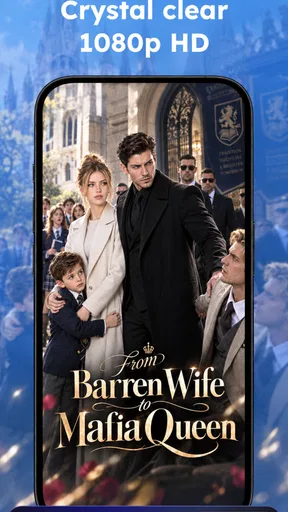
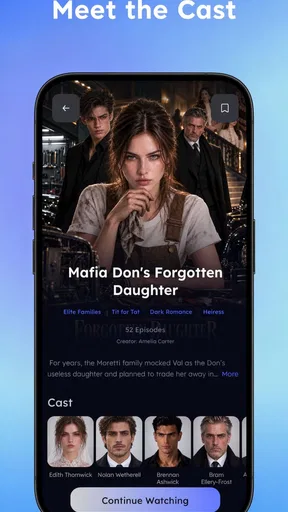
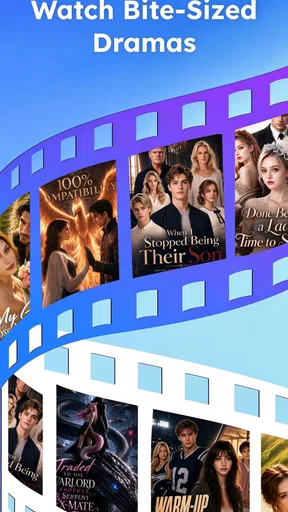
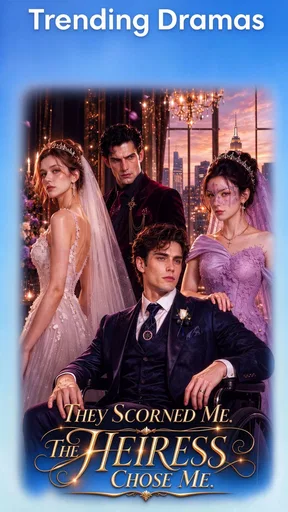
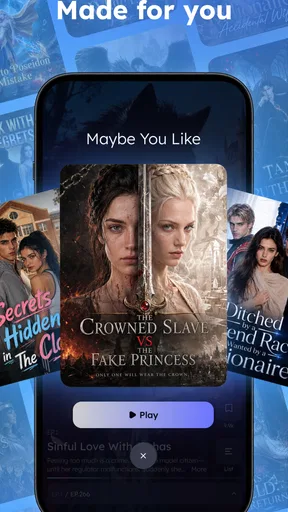
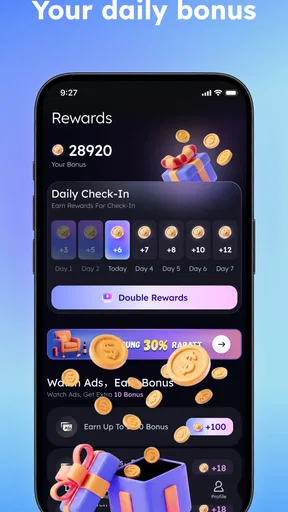
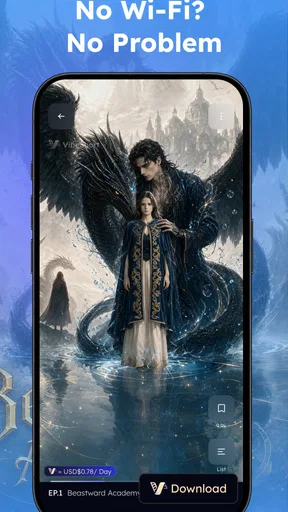
 Analysis by AppCompare
I judge short-video entertainment by a simple test: does it make a spare few minutes feel easy to use, without demanding that I commit to a long episode? VibeShort is built around that kind of viewing. It brings AI dramas, TV series and reels into one entertainment app, so the central appeal is quick access to different forms of short-form viewing rather than a single show or creator. I find that focused idea useful, though it also means the experience will suit some viewing habits far better than others.
A useful way to decide before installing
Before I download a short-video app, I ask whether I want a story, a stream of clips, or both. That question is especially useful here because the mix is the point: a viewer who wants only conventional, full-length television may find the short-drama emphasis frustrating, while someone who enjoys switching between a plot and quick clips has a clearer reason to try it. Thinking about that distinction first can save the app from being judged against the wrong kind of service.
I would also consider where I expect to watch. The format makes sense on a phone during small breaks, but a short narrative still asks for enough attention to follow what is happening. If most of my viewing happens at home on a television, or I prefer to settle in for a complete episode, a long-form streaming app is probably the more comfortable default. This one is easier to justify as a pocket-sized option for gaps in the day.
One app built for short viewing
The most distinctive promise here is the mix: short dramas sit alongside series and reels. That matters in practice because these formats serve different moods. A drama is for following a story; a reel is easier to dip into; a series can offer a more sustained watch. Having them together gives me a way to choose how much attention I want to spend, instead of opening a long-form streaming service whenever I have only a brief break.
The AI-drama angle gives the app a particular identity. It signals that compact, story-led viewing is part of the experience, not merely a collection of unrelated clips. I would approach that as an invitation to try a different kind of serialized entertainment, rather than assuming that every title will have the depth, pacing or production style of a conventional television drama. The format is likely to appeal most when I want a clear narrative hook quickly and can accept that a short episode has less room to develop its characters.
That blend is also a trade-off. Reels and narrative episodes encourage different kinds of attention: one rewards quick browsing, while the other works better when I stay with a story. Switching between them can make the app flexible, but it can also make a viewing session feel less coherent if I open it without knowing what I want. My practical advice is to decide first whether I am in the mood to browse or follow a plot. That small choice makes the mixed format feel like a benefit rather than a jumble.
VibeShort is an entertainment app from AGILE QUADRANT MEDIA LIMITED. It is free to install, and its audience is substantial: it has passed ten million installs, with an average rating of 4.5 from around 543,000 ratings. Those figures suggest broad interest, but they do not tell me whether its particular short-drama style will suit an individual viewer. The app is rated Mature 17+, an important consideration for households and anyone choosing entertainment for younger viewers.
Worth Reading Before You Choose

Baby Panda World Brings Quick Play to Modern Phones, but Its Game Library Feels Busy

ESPN’s Live Game View Makes Following Close Games Easier

QuizzLand Review: A Good Fit for Short Trivia Breaks, Not Every Player

Basketball Stars: Multiplayer Is Fast, but Can It Recover When Matches Go Wrong?

WEBTOON Turns Phone Updates Into a Better Reading Routine

Link to Windows Runs on Shared Habits, Not Social Feeds
What the short format changes
Short viewing is not automatically better viewing; it changes the bargain between time and depth. I can fit an episode or a handful of reels into a pause that would be too short for a full television episode. In return, I should expect less space for slow setup and subtle character work. If I enjoy stories that get to a premise quickly, that can feel brisk. If I need atmosphere and gradual development, the same pace may feel rushed.
For me, the strongest use of a short-drama format is not to replace a favorite series. It is to have something story-based available when the alternative would be aimless scrolling. A compact episode gives a break a beginning and an ending, while a reel is still available when I do not want to follow a plot. That distinction is useful: choosing a story can make casual viewing feel more deliberate without turning it into a major time commitment.
How I would fit it into a normal day
Imagine waiting for a delayed appointment with a few minutes to spare. I might open the app for a short stretch, choose a drama when I want a continuing story, or switch to reels if I just want lightweight viewing. Later, on a commute, I could return to entertainment in the same app rather than deciding between separate services for clips and episodes. That is a realistic advantage of the format mix, although it depends on being comfortable watching on a phone and having a suitable connection and moment to pay attention.
A useful habit is to treat a viewing break as a bounded session. Before starting, I can choose one short drama or a small burst of reels, then close the app when the break is over. This is not a special timer or hidden tool; it is a way to avoid letting rapid, easy-to-open content quietly take over a longer stretch of time. The same convenience that makes short entertainment accessible can make it easy to keep watching when I intended to stop.
I would also choose the format based on the setting. Reels are more forgiving when I expect interruptions; a plot is easier to follow when I can give it a few uninterrupted minutes. That simple distinction helps with noisy waiting rooms, short breaks between tasks and other stop-start moments. If I know I will be interrupted repeatedly, I would not begin a story episode and expect to remember every detail. I would save narrative viewing for a calmer pause.
For someone comparing it with familiar alternatives, VibeShort occupies a middle ground between a conventional streaming service and a general short-video feed. A streaming service is usually the better choice when I want a long episode, a film or a planned evening of viewing. A broad social-video feed is often better when I want a constant stream of varied material. VibeShort’s appeal is the combination of reels with story-oriented, AI-drama content in one place. The best choice depends less on which app is universally superior and more on whether I want a quick narrative as well as bite-sized clips.
Where the convenience has limits
The first limitation is the very thing that defines the experience: short-form pacing. A story can be easy to start but may not satisfy someone who wants an expansive plot or a slower emotional build. I would not choose this as my main source of television if I mostly enjoy long episodes, detailed world-building or watching on a larger screen. In those situations, a traditional series service is a more natural fit.
The mix of reels and dramas can also encourage browsing when I meant to watch one specific thing. If I open an app without a clear intention, the easiest option may be to keep moving between formats rather than settling into a story. I find it helps to choose a mode before opening the content: “I want a drama” is a better starting point than “I’ll see what’s there.” This is a practical way to protect the value of the app’s variety, not a claim that its interface includes a particular control.
There is a financial point worth keeping in mind, too. The app is free, but it offers in-app purchases ranging from $0.99 to $149.99 per item. That broad span makes it sensible to check what a purchase covers and what it costs before confirming anything, especially if a younger person uses the device. Free access is a low-risk way to see whether the format appeals, but I would not assume every viewing option is included at no cost.
The Mature 17+ rating deserves equal attention. I would not hand the app to a younger viewer on the assumption that short clips are automatically family-friendly. If a parent or guardian is considering it, the rating should be part of the decision, and they should make their own judgment about whether the app fits their household. It is more appropriate to treat this as an adult-oriented entertainment choice than as a general children’s video app.
There is also a difference between trying a short drama and becoming invested in one. Compact episodes can make it easy to sample a premise, but whether the storytelling holds attention is personal. I would give a title a fair try before deciding, while avoiding the assumption that the AI label alone guarantees a particular style or quality. The useful question is whether the actual story and pacing suit me, not whether the format sounds novel.
Making a low-pressure trial worthwhile
Since the app is free to install, I would use the first session to test the format rather than treating it as a commitment. I would try a drama when I have a quiet stretch, then sample reels in a separate moment, and notice which one I actually want to return to. This is a better test than judging the whole app after opening whichever item happens to catch my eye first. It also helps me decide whether the appeal is the continuing story, the quick clips, or simply having both available.
If I am evaluating a drama, I would pay attention to whether the opening gives me enough reason to continue and whether the brisk pacing feels clear rather than merely hurried. If it does not hold me, I would move on without assuming that every short story will work the same way. Conversely, if I find myself wanting to know what happens next, that is a more useful sign of fit than the novelty of the AI-drama label alone.
For shared devices, I would make the age rating and purchase options part of the setup conversation before anyone starts browsing. A free install does not mean every possible item is free, and the Mature 17+ rating calls for adult judgment rather than casual sharing with children. That is a practical boundary, not a reason to dismiss the app for its intended audience.
Who is most likely to enjoy it
I think VibeShort makes the most sense for adults who regularly have short pockets of free time, enjoy phone-based entertainment and like having more than one quick-viewing format available. It is especially appealing if I sometimes want a plot but do not have time for a full episode, and on other occasions want something lighter. The app’s scale—more than ten million installs and roughly 7,600 written reviews—shows it has reached a large audience, but popularity should be a starting point for consideration, not a substitute for trying the format myself.
It is less compelling for viewers who already know they want long-form films and series, who prefer a carefully curated watchlist, or who dislike the rhythm of compact storytelling. Someone seeking a broad social feed may also prefer a dedicated short-video platform, while someone who wants premium-length drama will probably feel better served elsewhere. I would recommend considering the app as a companion for brief viewing, not as a replacement for every other kind of video entertainment.
The current version is 2.29.0, and it supports Android 7.0 and later. That makes the listed Android compatibility relevant if I am checking an older phone before installing. The app is free to start, but the possible purchase costs and Mature 17+ rating still belong in the decision. Those are more useful checks than downloading first and discovering later that the spending model or audience rating does not fit.
My verdict on the short-drama approach
I like the idea behind VibeShort because it gives short-form entertainment a story-led option without abandoning quick reels. Its best use is a deliberate break: choose a compact drama when I want continuity, or reels when I want low-commitment viewing. That choice makes the app more versatile than a single-format service, while keeping its purpose clear.
I would recommend giving it a try if short episodes fit naturally into your day and you are curious about AI dramas. I would skip it if you expect the depth of a traditional series, want an uninterrupted long-form library, or need an app aimed at younger viewers. My overall view is positive but specific: VibeShort is most useful when a short window of free time calls for a story, not just another scroll. Start with the free experience, keep purchases in mind, and judge the storytelling by whether its brisk format genuinely works for you.
Pros
- Short episodes make it easy to watch during breaks or commutes.
- A range of drama genres helps viewers find stories that match their mood.
- Vertical videos are designed for comfortable
- one-handed viewing.
- Quick pacing keeps plots moving without long setup scenes.
- The reels format makes it easy to sample different stories.
Cons
- Frequent cliffhangers may make some stories feel stretched out.
- Short runtimes can leave characters and plotlines underdeveloped.
- Personalized recommendations may take time to match your tastes.
- Watching many episodes can use significant mobile data.
- Availability of stories and features may vary by region.
FAQs for VibeShort: AI Dramas & Reels
What is VibeShort: AI Dramas & Reels?
VibeShort: AI Dramas & Reels is an entertainment app centered on short-form video, including dramatic stories and reel-style clips. Its AI-themed content and quick episodes are designed for viewers who prefer bite-sized entertainment over full-length shows. The exact selection and features may change with app updates, so check the current store listing for details about available content and supported features.
Is VibeShort free to download and use?
The app may be available to download without an upfront charge, but that does not necessarily mean every feature or video is free. Short-video services can offer optional purchases, subscriptions, advertising, or other limits on access. Review the app’s store listing and its in-app purchase details before signing up or paying, and check the terms carefully so you understand any trial period and renewal conditions.
Does VibeShort require an account or an internet connection?
Requirements can vary by version and region. You may be able to browse some content without creating an account, while saving preferences or accessing certain features could require sign-in. Streaming video generally uses an internet connection and can consume a significant amount of mobile data, particularly at higher quality. Before watching away from Wi-Fi, check the app’s settings for playback or data-saving options.
Is VibeShort suitable for children?
Do not assume that short-form dramas are appropriate for every age just because the videos are brief. Stories may include mature themes, emotional conflict, romance, or other material that parents may want to review first. Check the age rating and content information on the relevant app store, and explore available parental controls or viewing restrictions before allowing a child to use the app.
What should I check before downloading VibeShort?
Confirm that VibeShort is listed for your device and operating-system version, and download it from an official app store rather than an unfamiliar third-party source. Review the developer information, recent user feedback, privacy disclosures, requested permissions, and any subscription or purchase terms. These checks can help you understand how the app handles data, whether it works on your device, and what costs or limitations may apply.


